For Airbnb hosts · six tools inside Airbnb’s own pages
If Airbnb stops showing your listing, you lose bookings before a single message arrives. This reads what your dashboard, calendar, inbox and listing editor already show, and turns it into a verdict, a plan, a net figure, a screening and a draft — each on the page where you need it.
Free. Bring your own OpenAI key. Nothing goes to OpenAI until you press a button that says so.
The tools
Two watch your visibility — a listing the algorithm stops showing loses bookings before any message arrives. One watches your money. Two watch your guests. One watches how you sound. The label on every card says where the tool appears; there is no separate app to open.
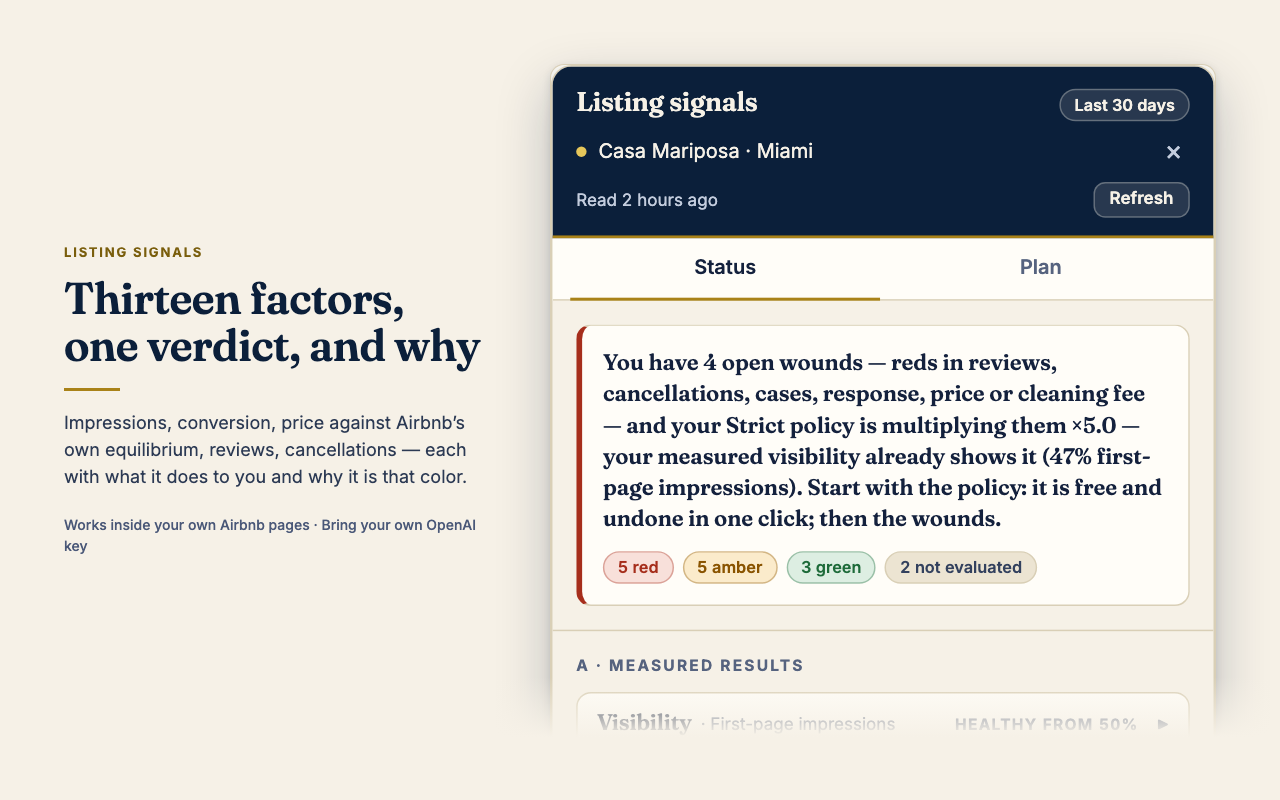
Thirteen factors read from your own dashboard — impressions, conversion, price against Airbnb’s equilibrium, reviews, cancellations — each with a verdict, what it does to you, and why. Then a plan with how to verify it worked.
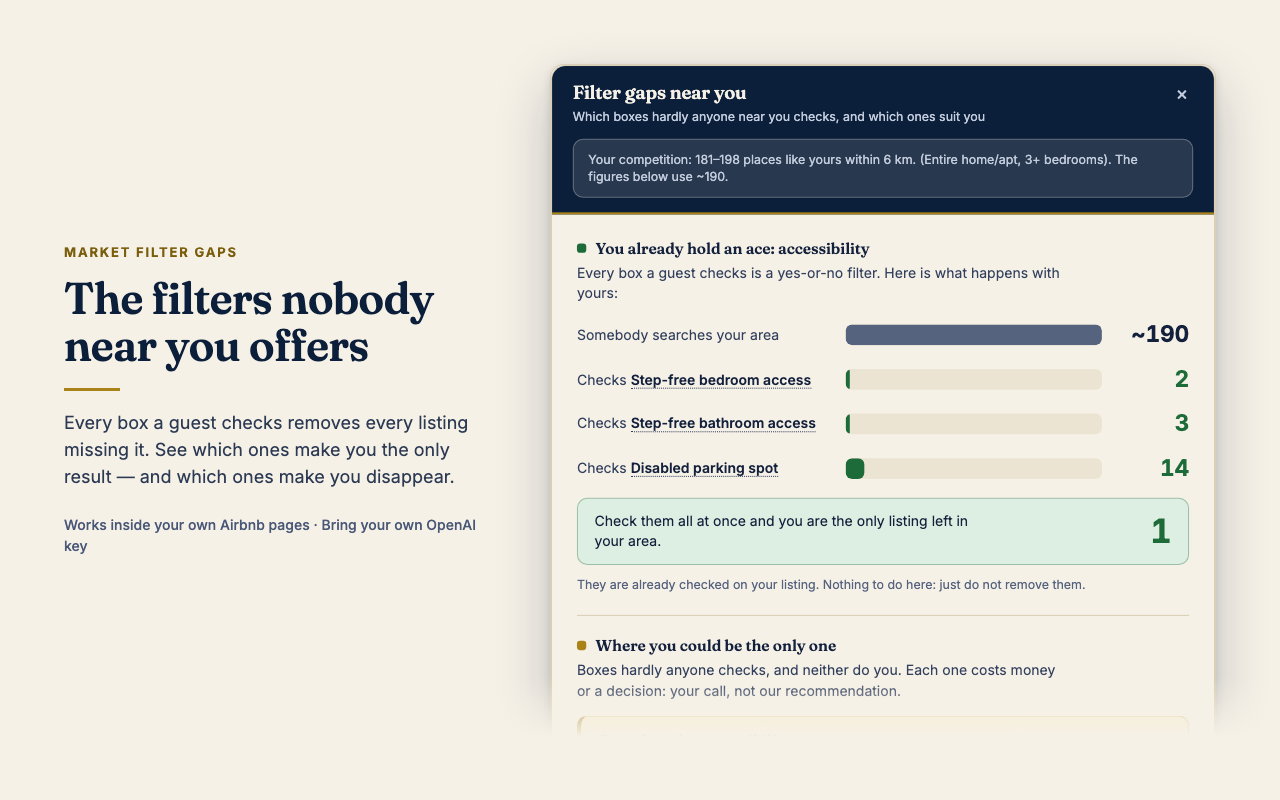
Read the guideEvery box a guest checks removes every listing missing it. This counts the real search results in your area, box by box: which filters make you the only result, and which ones make you disappear.
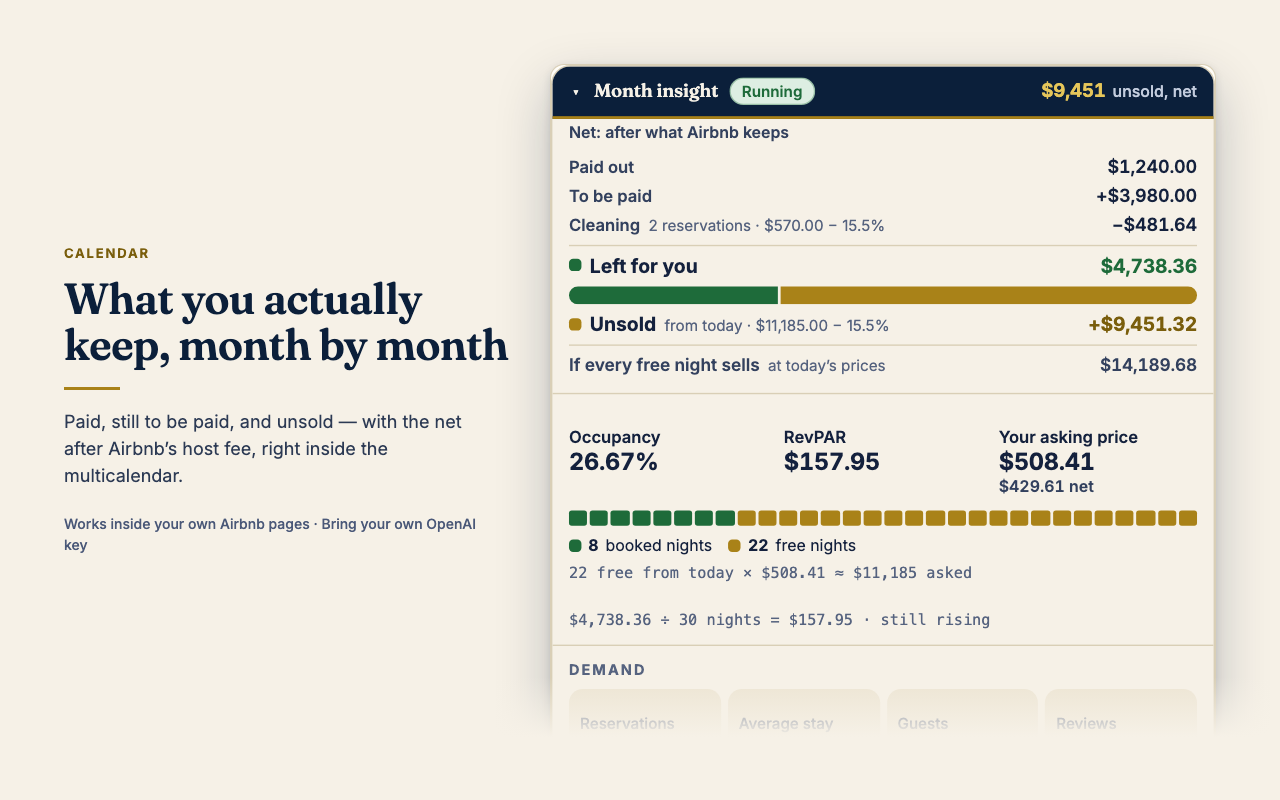
Read the guidePaid, still to be paid and unsold, month by month, with the net after Airbnb’s host fee under the price of every night that can still be booked — and a year view that shows where the money and the bookings went.
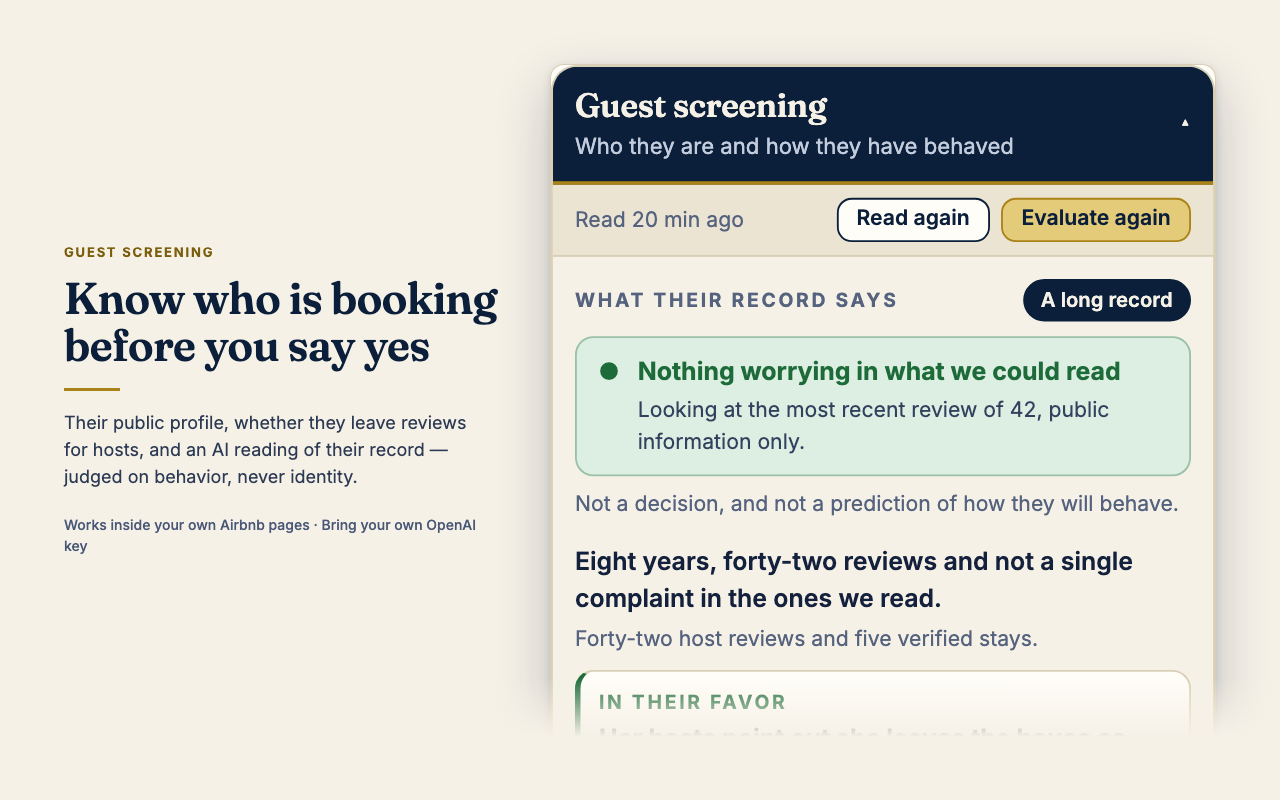
Read the guidesTheir public profile, how long they have been on Airbnb, whether they leave reviews for the hosts who reviewed them, and an AI reading of their record. It judges behavior, never identity.
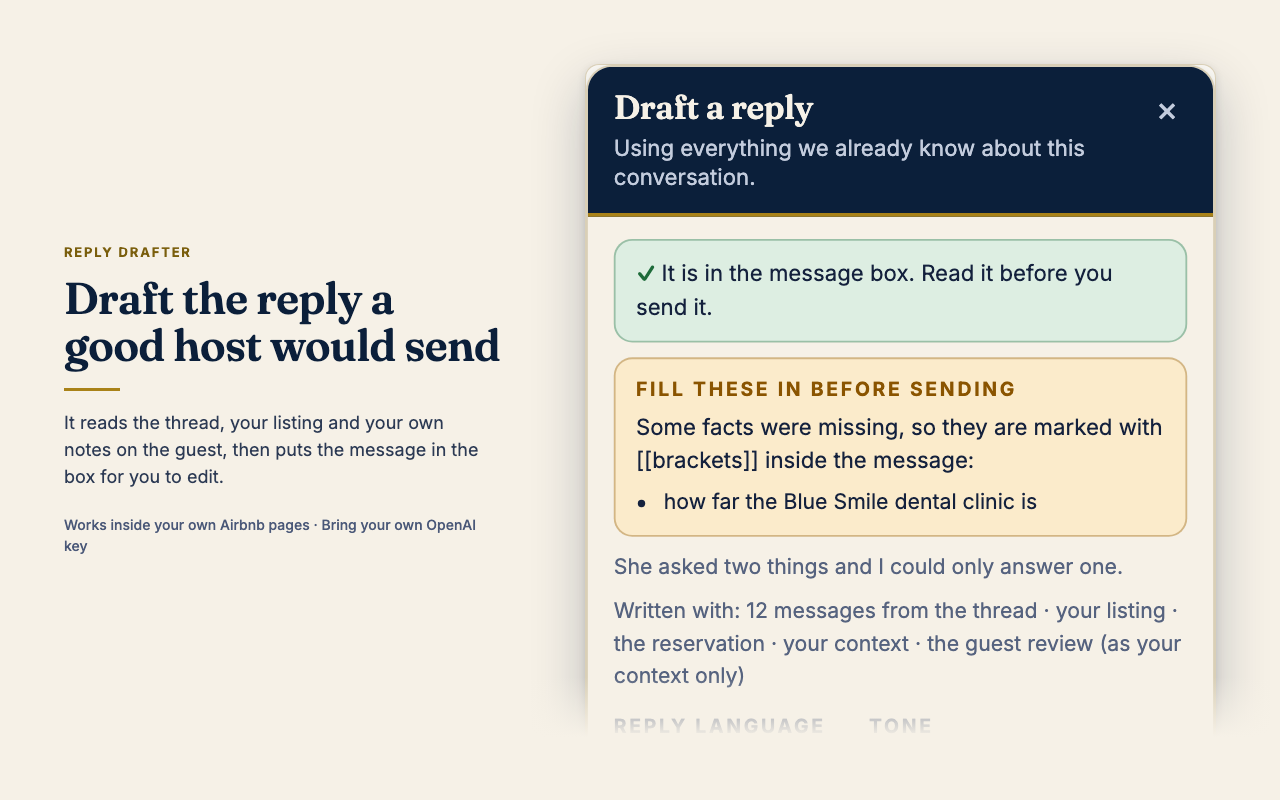
Read the guideReads the thread, your listing and your own notes on the guest, then puts the message in the box for you to edit. What you type as context is used to write the reply — never quoted back to the guest.
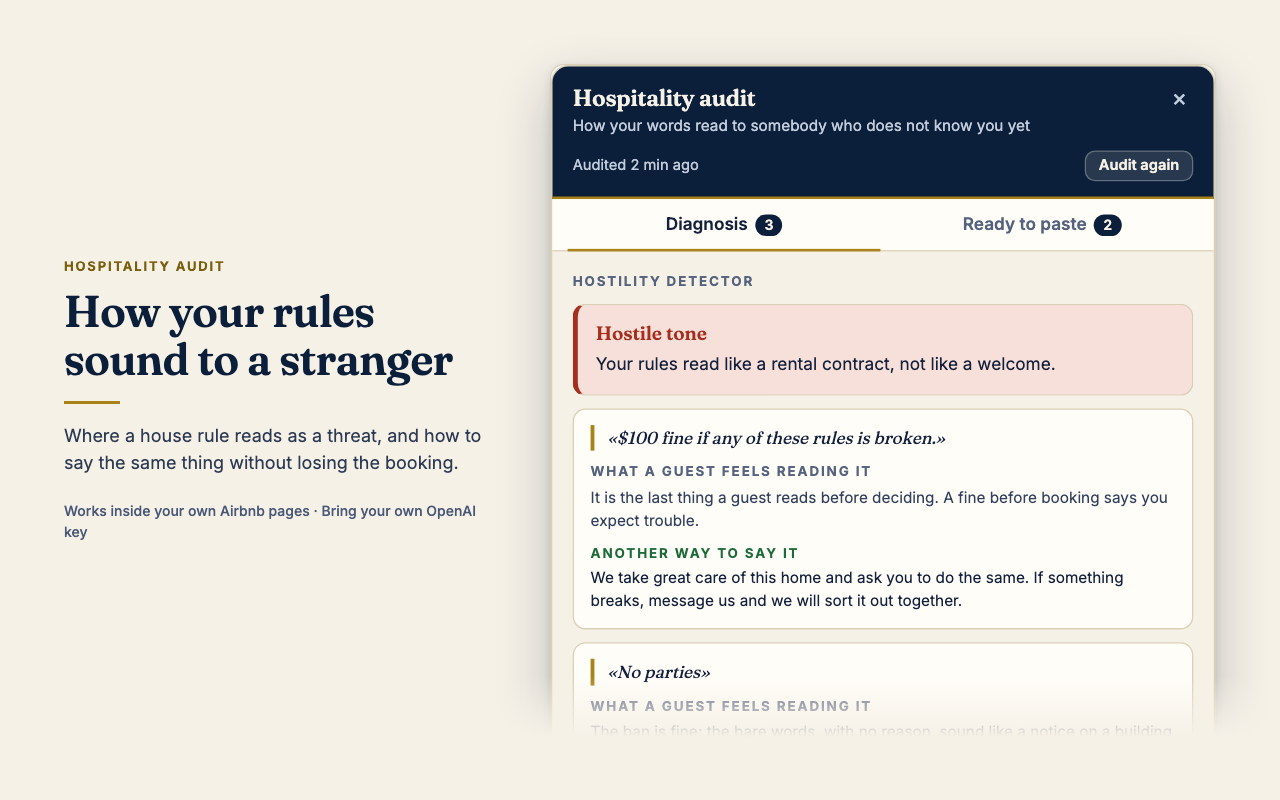
Read the guideHow your description and house rules sound to someone who does not know you yet — where a rule reads as a threat, and how to say the same thing without losing the booking.
Read the guideTake a look
Real panels, rendered with example data. Every figure you see comes from the host’s own Airbnb dashboard; the extension never invents a number.
How it works
Then open Airbnb — airbnb.com or your market’s domain: airbnb.es, airbnb.mx, airbnb.co.uk, any of them.
The sign-in keeps your email and name and a short account profile (see Privacy). The key goes in the extension’s options and stays in your Chrome profile; calls go straight from your browser to OpenAI.
Before anything is sent to OpenAI, the extension tells you what it reads and where it goes. Say no and nothing is sent. Tools that only read your own figures from Airbnb, and send nothing to AI, do not show that dialog; what they read stays in your browser unless you press an AI button.
“Signals” in the calendar’s year view for the listing, the strip under a reservation for the guest, the ⚡ for a reply. Every call to the model is one you asked for.
Privacy
 AI Host Assistant