 AI Host Assistant
Docs · Guide 4 of 14
Listing editor · “Find filter gaps”
Find filter gaps
The boxes almost nobody near you checks. It runs public Airbnb searches around your listing, one per box in the search filters, and counts which boxes are rare near you, which ones you hold, and which ones the search does not return you for.
- Where
- Your listing editor on Airbnb, next to the page title: the “Find filter gaps” button, right after “Audit my copy”.
- What it reads
- Your listing’s point on the map (never the street address), its type, its bedrooms and the amenities it has checked, from your listing editor. Then public Airbnb searches around it.
- What it costs
- No AI and no key. Several minutes of public searches, sent one at a time from your browser with your Airbnb session, and only when you start them.
- What it changes on Airbnb
- Nothing. It only reads.
The problem
When a guest searches on Airbnb and checks a box, such as a pool, a crib or an EV charger, every place without it disappears from their list. It does not drop lower: it disappears. From your editor you cannot tell which boxes almost nobody near you has, which ones almost everyone has except you, or whether the search returns you for the boxes you declare.
Where to find it
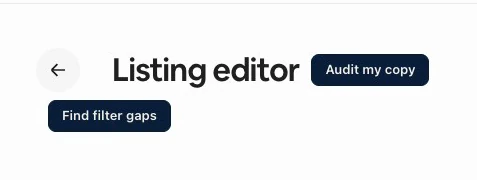
Open your listing editor on Airbnb, in any section of the “Your space” tab; the button does not appear on the “Arrival guide” tab. Next to the “Listing editor” title there are two buttons: “Audit my copy” is the Hospitality audit, and “Find filter gaps”, often on the line just below, is this tool. It measures the listing you have open, so there is no address to type.
The panel asks you to be signed in to the extension with Google; Account and settings shows how. It uses no AI, so it asks for neither your OpenAI key nor the data notice.
Before it searches
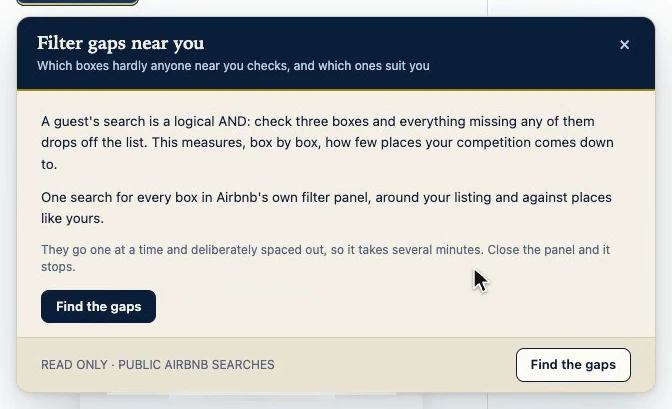
Opening the panel searches nothing. First it tells you what it will do. Since a guest’s search is a logical AND, it will run one search for every box in Airbnb’s filter panel, around your listing and against places like yours, one at a time and spaced out on purpose, so it takes several minutes. The footer says it plainly: read only, public Airbnb searches. Nothing starts until you press “Find the gaps”.
Saved, with its date
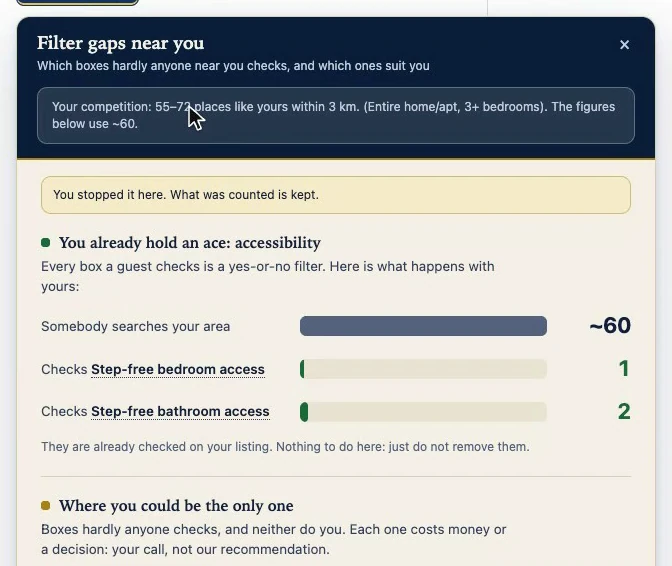
Every study is saved per listing, in this browser. When you come back, the panel opens with it without searching anything, and the footer says how old it is. If a study was cut short, the panel says so at the top, and what was counted up to there still stands.
“Search again” runs a new study from the start. If the study on screen was cut short and is less than an hour old, the button reads “Continue searching” and picks up where it stopped.
The sweep
First it looks for your similar neighbors: the same type of place, at least your bedrooms, in a rectangle around your listing. It tries a few sizes, starting at 3 km, and keeps the first one that gives a group of between 40 and 250 places, or the closest one if none does. Then it checks that your listing shows up in search, reads which boxes it has checked, and runs one search per box.

It is slow on purpose: the extension limits how many requests it makes to Airbnb per minute, and when a search has to wait, the panel shows the seconds. If Airbnb asks it to slow down, the sweep stops on its own and says so. While it counts, the sections below already fill in. “Stop”, or closing the panel, ends the sweep, and what was counted is kept.
Who it compares you against
The card under the title answers that first: “Your competition:”, how many places like yours, within how many kilometers, their type and the minimum number of bedrooms. Not the whole city: your similar neighbors.
The count is often a range, because the panel counts Airbnb’s result pages, 18 at a time: up to 18 the count is exact, above that it is a range, and past 252 it only knows there are more. If there are too few places to compare against, a warning says so first. If your listing does not come up even without filters, the panel says “Your listing does not come up in search” and draws no conclusions.
What you already hold
The first section, “You already hold an ace”, is what you have and almost nobody else does: boxes that 15% or fewer of your neighbors have, about one in seven. Drawn as a funnel, its top row is everyone in your area; each row below is the same search with one of your rare boxes checked, and how many are left.
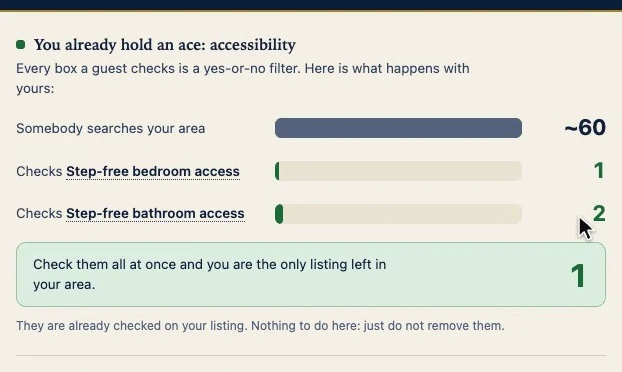
Having a box means the search returned your listing with that box checked, not that you ticked it in the editor. With two or more rare boxes, one more search checks up to three at once; the green box says how many listings are left. Nothing to do here: just do not remove them.
Where you could be the only one
Next, the rare boxes you do not have. The note at the top matters: each one costs money or a decision, and it is your call, not a recommendation. If three or more boxes of one family are held by none of the compared places, they are grouped into one card; if several families qualify, the largest one.
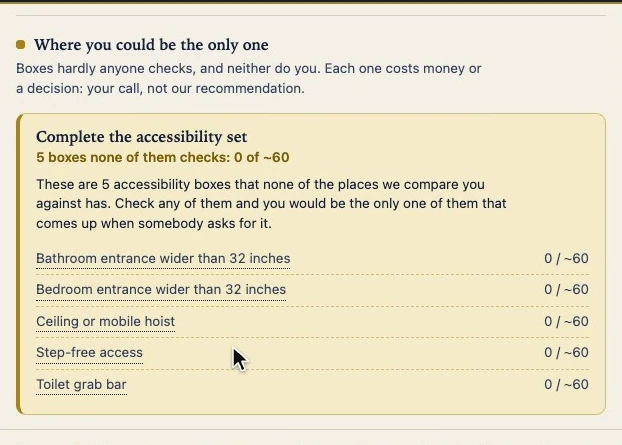
Below, the rest one by one, each with how many you would compete against if you had it. Host languages share one row, with its own advice: only check the ones you actually speak.
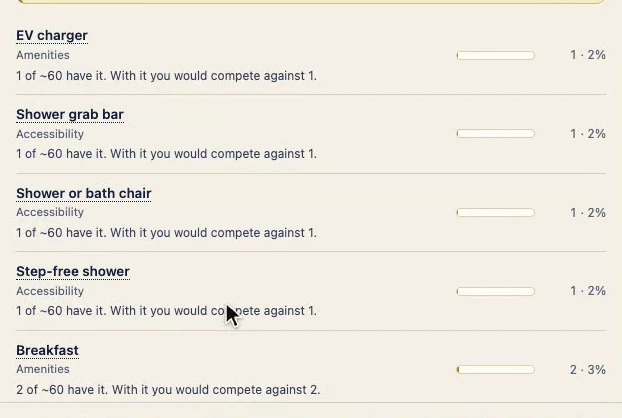
Every box here has been verified: your listing does not come up in any of those searches.
What can take you out of a search
When it applies, “Where you can disappear” lists boxes that half or more of your neighbors have and you do not: anyone who requires one does not see you. Then come boxes your listing says it has, but that the search does not return you for. The panel does not know why; it tells you where to look: your listing’s amenities section.
What does not depend on you is set aside, with its reason: the property type, what is by Airbnb invitation only, what is earned through reviews and, if your listing is an entire place, the boxes for rooms (like “Private attached bathroom”), which Airbnb almost never returns an entire place for. Those boxes stay in the table, but are never offered as something to do.
The whole table
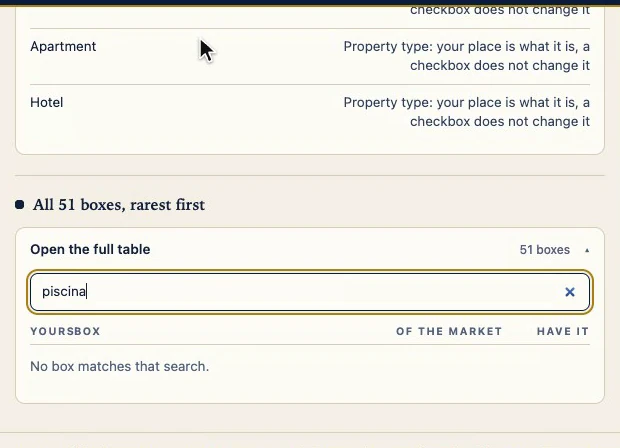
“Open the full table” lists every box in the sweep, from rarest to most common: whether you have it (✓), do not (—) or it could not be checked (?), what share of your neighbors has it, and how many that is. A box marked “?” is never suggested. The names come from Airbnb in English, because its search only serves the full catalog in that language: a word in another language, such as “piscina”, finds nothing; “pool” does.
Count it yourself
Every underlined name in the sections, and every figure in the table, opens in a new tab the same Airbnb search that gave that number: the same area, the same type, your bedrooms, and that box checked. You do not have to take a number on faith: you can count it.
Why it works
A filter does not push you down the list: it keeps you in or takes you out. The panel does not give opinions, it counts, and Airbnb’s own search decides whether you have a box. So you learn which of those searches you show up in.
Its limits
- It searches without dates or guests, so it does not measure availability.
- It does not know how many guests use each filter, and it does not promise bookings.
- It compares you with similar places near you; a guest who searches without those filters may see others.
- It is a dated snapshot of the listing you have open, and it does not update itself. To refresh it, “Search again”.
- It saves nothing to Airbnb. Checking a box is up to you.