 AI Host Assistant
Docs · Guide 3 of 14
Listing editor · “Audit my copy”
Hospitality audit
How your words read to somebody who does not know you yet. It quotes the lines of your description and house rules that sound like a warning, and gives both texts back rewritten, ready to paste.
- Where
- Your listing editor on Airbnb, next to the page title: the “Audit my copy” button.
- What it reads
- Every text of your listing, in all your languages: title, description, the space, guest access, interaction, other details, the neighbourhood, getting around and house rules; plus your house rule switches and your check-in and checkout times. It reads them from Airbnb every time you audit.
- What it costs
- The first time, a few short AI calls with your OpenAI key. After that, only for the sentences that change (and what an earlier audit could not finish): auditing text that did not change makes no AI call. “Check my changes” never uses it.
- What it changes on Airbnb
- Nothing. Copying, pasting and saving are up to you.
The problem
Your description and your house rules are read by someone who does not know you yet, and they read them before deciding whether to book. You cannot read them through their eyes: you wrote them, sometimes right after a bad guest. The Hospitality audit gives you a second reading: an AI’s, of how they sound to someone who has never met you.
Where to find it
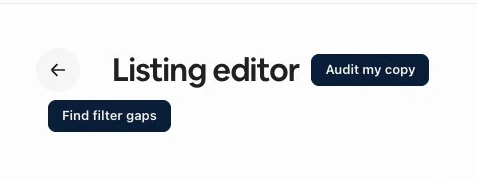
Open your listing editor on Airbnb, in any section of the “Your space” tab; the button does not appear on the “Arrival guide” tab. Next to the “Listing editor” title is “Audit my copy”, which audits the listing you have open. The other button, “Find filter gaps”, often just below it, is a different tool, with its own guide.
Before you spend anything
Opening the panel does nothing yet. It tells you what it is going to do: read your description and your house rules, tell you what a guest feels reading them before they book, and give them back to you rewritten, ready to paste. The footer says the important part: read only, it never touches your listing.
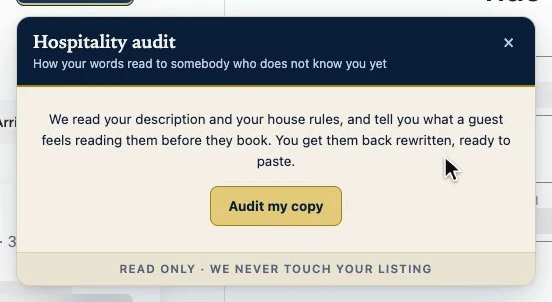
In this extension, a gold button means it costs something: here, AI calls with your OpenAI key. Every audit reads your listing as Airbnb has it now, with one read of the description page, so it never audits text from before you saved; if that read fails, the panel says why and audits nothing old. The AI gets your texts, your house rule switches and your hours, with the order not to contradict them. It gets no photos and no guest data.
Fixed rules go first, always the same for the same text: fines, threats, capitals, legal wording, contradictions with your switches. The AI only reviews the sentences it has not seen yet and proposes how to fix the flagged ones; a second AI review can block a proposal, never add anything. Reviewed sentences are remembered: paste what it proposed and audit again, and it neither flags it again nor calls the AI. If you close the panel while it is thinking, what already came back is kept.
If you are not signed in, or have not accepted the data notice yet, the button asks for that first. The AI call also needs your OpenAI key in the extension’s options. Account and settings covers all three.
The verdict
The “Diagnosis” tab starts with the hostility detector. The level is one of four: No hostility, Slightly curt, Defensive tone or Hostile tone. The color is set by that level, not by the sentence that goes with it.
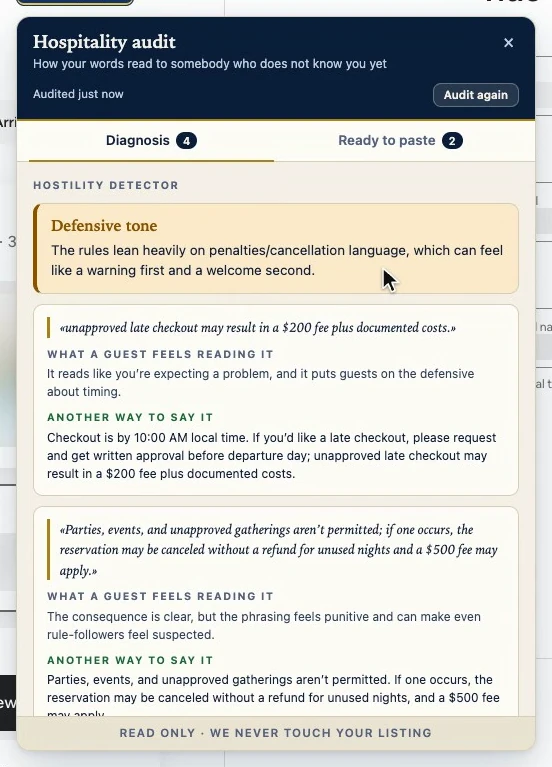
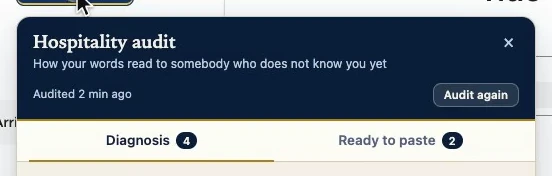
The header says when the audit was done. “Audit again” is for when you change your copy, and that is another call.
Your words, what they cause, and another way to say it
Then comes the evidence, in your own words. Each card quotes a line of yours, word for word. Below it, what a guest feels reading it. And then another way to say the same rule: the AI is asked not to allow a single thing more than your rule does.
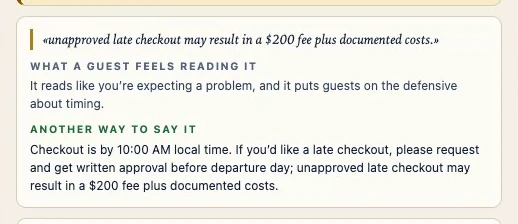
Before a quote is shown, the extension checks that it really is in your copy. If the AI made up a line or paraphrased it, that finding is dropped, and the panel tells you how many it dropped. If no quote is left, no level is shown either, unless the level is No hostility.
Ready to paste
A diagnosis without a fix would be half the job. The button at the end of the diagnosis, which costs nothing, takes you to the “Ready to paste” tab, with your description and your house rules rewritten. At the top there is a warning that means it: read it before you paste it.
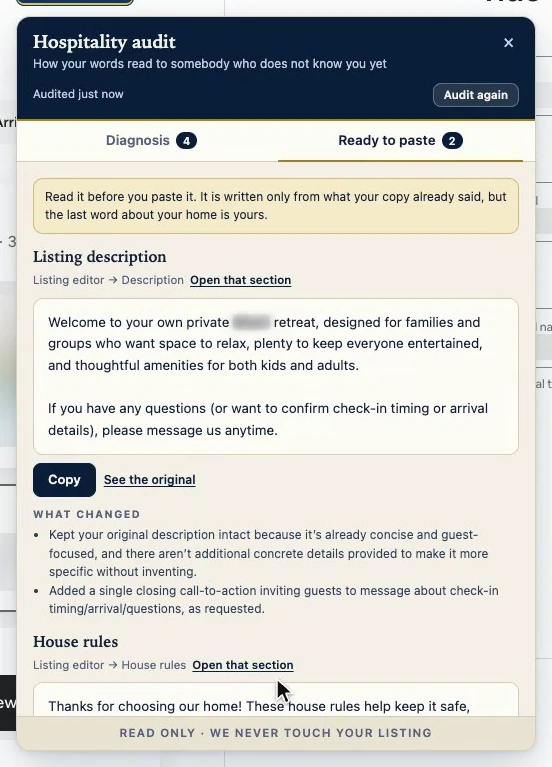
Each text tells you where it goes in the editor, with an “Open that section” link that opens it in another tab. “Copy” only copies: pasting it and saving it is up to you, in Airbnb. If you want to compare, “See the original” puts your current text right below, and “What changed” sums up in a few lines what was changed and why.
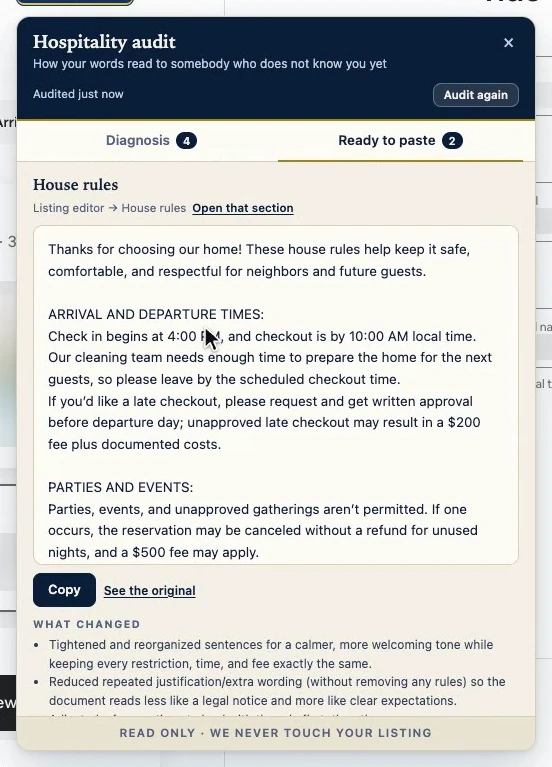
The description is also asked to end by inviting the guest to message you. The house rules come back as the same rules, said another way, and they are asked to be no longer than yours.
Checkout instructions and language
The audit does not touch your checkout instructions. Airbnb keeps them in the arrival guide, and the audit does not read that part. The panel tells you just that, without assuming you have none, and leaves you the link to that section.
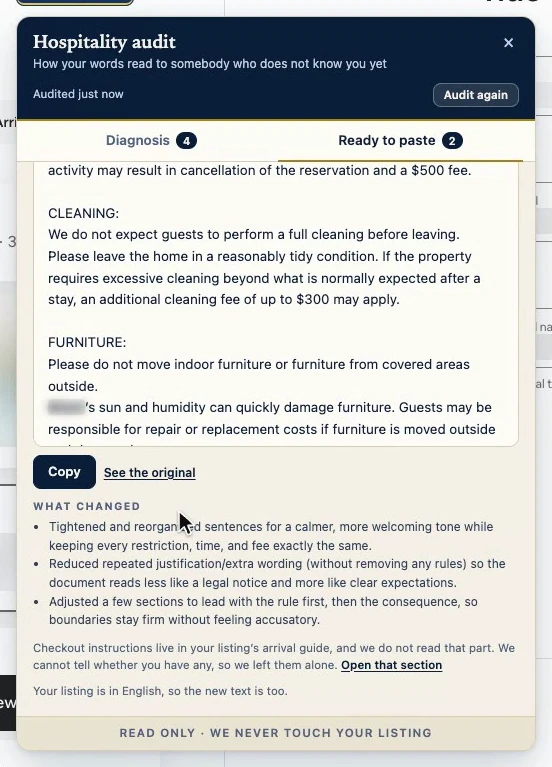
The analysis is asked for in the extension’s language, and the rewritten texts in your listing’s language, because that is the one the guest will read. The AI does not always keep to it: the other way to say a rule, on a card, can come in your listing’s language. It recognizes eight listing languages: English, Spanish, French, Italian, German, Portuguese, Dutch and Catalan. For any other, the texts come back in the extension’s language.
Saved per listing
The audit is saved per listing, in this browser. You close it, come back later, and it is right there, without spending another call.
Why it works
It does not give you a generic opinion. It points to the exact line, explains the effect and suggests the replacement, in your listing’s language and with the order not to change what you allow.
Its limits
- It is an AI’s reading, not a measurement of your bookings.
- The quotes are checked. The rewritten texts cannot be checked word by word, and that is why the panel asks you to read them before pasting.
- It reads your description and your house rules, nothing else: not the title, the photos or the arrival guide.
- The first audit after the page loads reads your copy as the page loaded it. If you edited and saved it since, reload the page first; after that first audit, “Audit again” asks Airbnb for your copy as it is now.
- It saves nothing to Airbnb. The last word is yours.